Startechcom USB31000SW Manual do Utilizador Página 6

  • Descarregar
  • Adicionar aos meus manuais
  • Imprimir
  • Página
    / 10
  • Índice
  • MARCADORES
  • Avaliado. / 5. Com base em avaliações de clientes
Vista de página 5
Instruction Manual
3
Installation
Windows
1. Connect the USB 3.0 Network Adapter to an available USB port.
2. Insert the provided CD into your DVD/CD-ROM drive.
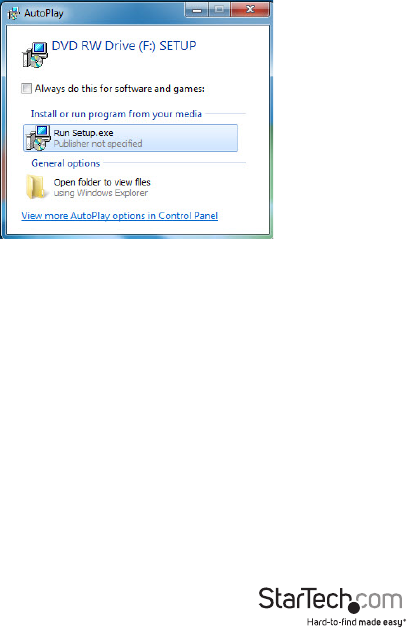
3. Run the Setup.exe application from the Autoplay menu. If Autoplay is disabled on
your system, browse to your CD/DVD drive and run the application.
4. Follow the on-screen instructions to complete the installation.
NOTE: You may be prompted to restart once the install completes.
Mac OS
1. Connect the USB 3.0 Network Adapter to an available USB port.
2. Insert the provided CD into your DVD/CD-ROM drive.
3. Browse to the “Mac\AX88179_178A_Macintosh_10.6_to_10.8_Driver_v1.4.0_
Binary_20130423\” folder on the disc.
4. Mount the AX88179_178A.dmg le, and then run the AX88179_178A.pkg
application to start the install.
5. Follow the on-screen instructions to complete the installation.
NOTE: You may be prompted to restart once the install completes.
Vista de página 5
1 2 3 4 5 6 7 8 9 10

Comentários a estes Manuais

Sem comentários